


2020
09-29
09-29
Ubuntu18.04下安装配置SSH服务的方法步骤
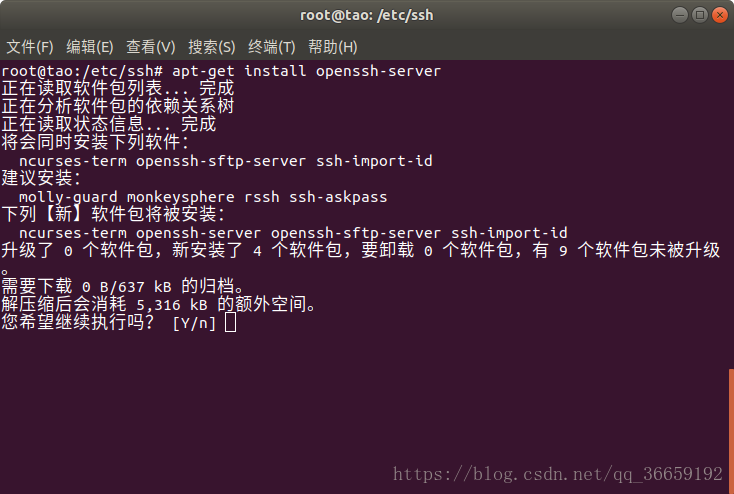 安装ssh工具1.打开终端键入如下命令:apt-getupdateapt-getinstallopenssh-server2.选择Y继续执行:启动SSH服务1.键入如下命令:/etc/init.d/sshstart注:重启命令与关闭命令如下:/etc/init.d/sshrestart#重启SSH服务/etc/init.d/sshstop#关闭SSH服务2.查看进程,检查是否启动成功,键入如下命令:ps-e|grepsshd有了进程才能进行SSH服务的使用。配置root用户SSH服务Ubuntu中SSH服务安装完成后查看是否允许root用户登...
继续阅读 >
安装ssh工具1.打开终端键入如下命令:apt-getupdateapt-getinstallopenssh-server2.选择Y继续执行:启动SSH服务1.键入如下命令:/etc/init.d/sshstart注:重启命令与关闭命令如下:/etc/init.d/sshrestart#重启SSH服务/etc/init.d/sshstop#关闭SSH服务2.查看进程,检查是否启动成功,键入如下命令:ps-e|grepsshd有了进程才能进行SSH服务的使用。配置root用户SSH服务Ubuntu中SSH服务安装完成后查看是否允许root用户登...
继续阅读 >